In LANconfig, the CPE WAN Management Protocol is configured under .
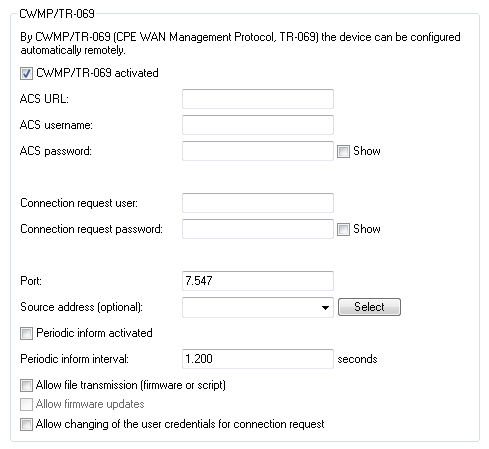
- CWMP activated
- Enables or disables CWMP.
- ACS URL
- Here you enter the address of the ACS (auto configuration server) which the CPE (customer premises equipment) connects to. The address is entered in the IPv4, IPv6, or FQDN format. HTTP and HTTPS are permitted, although the use of HTTPS is preferred. Otherwise the devices transmit device-specific parameters, such as passwords or access data, unencrypted. Before you can use HTTPS, the trusted root certificate for verifying the server identity needs to be uploaded to the device.
- ACS username
- Enter a user name for the device to use when connecting with the ACS (auto configuration server).
- ACS password
- Enter a password for the device to use when connecting with the ACS (auto configuration server).
- Connection request user
- Select a user to be used by the ACS (auto configuration server) when connecting to this device.
- Connection request password
- Assign a password that the ACS (auto configuration server) uses for connection requests.
- Port
-
Specify the local port used by the ACS (auto configuration server) when connecting to this device.Important: If you use IPv6, you additionally need to set the IPv6 firewall to allow access to the corresponding port under .
- Source address
- Here you have the option to configure a sender address for the device to use in place of the one that would otherwise be used
automatically for this target address. If you have configured loopback addresses, you can specify them here as source
address.
Important: If the source address set here is a loopback address, this will be used unmasked even on masked remote clients.As an address, the device accepts the name of the IP networks whose address is to be used, any valid IP address, or the name of a loopback address.
- Periodic inform activated
- Enables or disables the sending of periodic inform messages from the device to the ACS (auto configuration server).
- Periodic inform interval
- This is the interval in seconds between two periodic inform messages sent by the device to the ACS (auto configuration server). The ACS then requests further information from the device. The default value is 1200 seconds (20 minutes). Do not set a value that is too small, as inform messages increase network load. The interval does not commence before the device and server have exchanged all of the necessary information.
- Allow file transmission (firmware or script)
- This switch allows you to transfer a firmware or a script file from the ACS (auto configuration server) to this device.
- Allow firmware updates
- This switch allows the ACS (auto configuration server) to make firmware modifications to the device.
- Allow changing of the user credentials for connection request
- This switch allows the ACS (auto configuration server) to change the device administrator or to change the name and password of the device administrator used to connect to the device.
If HTTPS is used in the ACS URL, the CPE validates the ACS certificate. To this end, you first have to save the CWMP root CA
certificate on the CPE. If the CPE is unable to validate the server certificate against the existing root CA certificate, it rejects
the connection. The certificate is uploaded either by LANconfig or WEBconfig. In LANconfig you do this as follows:
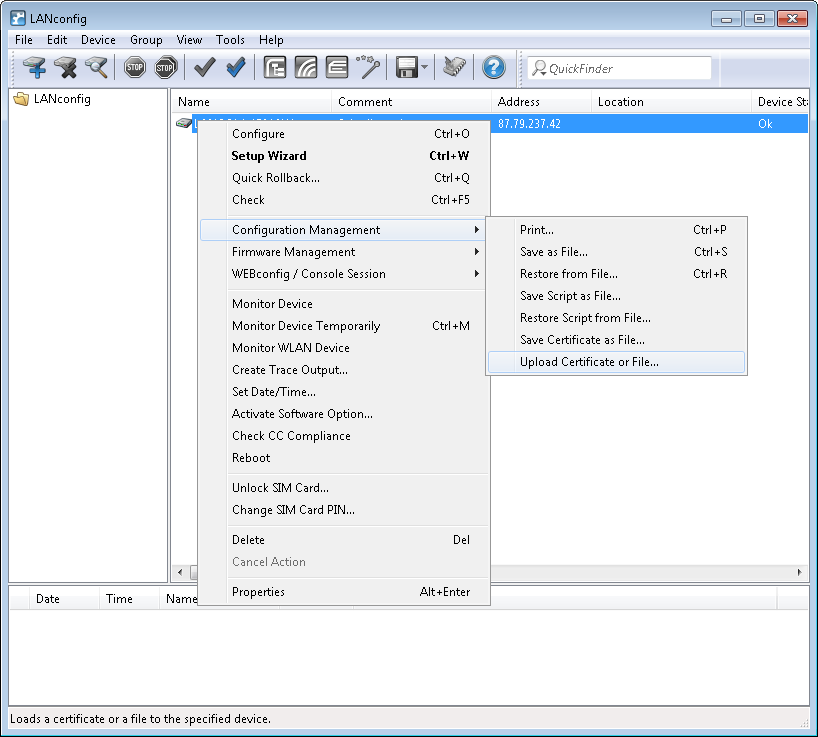
- In the device view section, right-click on the corresponding device and, under Configuration
management, select the item Upload certificate or file.
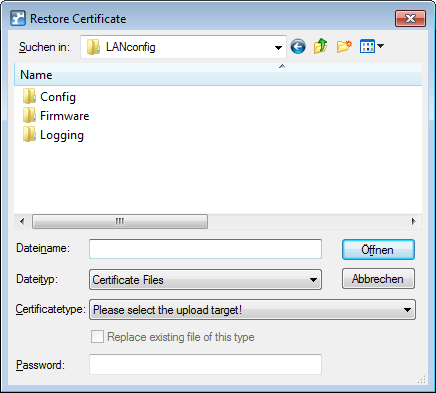
- In the dialog that follows, set the certificate type to "CWMP root CA certificate" and click
Open.
When using SSL/TLS for authentication at the CPE, you upload the client certificate and the private key by means of PKCS#12 file (CWMP container as PKCS#12 file) onto the CPE.