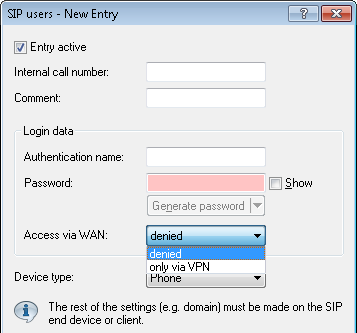
To restrict or prevent the SIP registration at the Voice Call Manager over a WAN connection, navigate to and click the button SIP users. The SIP users configuration dialog features a parameter that controls this. You can enable access via VPN, or prohibit it completely.
Additional security for the registration is provided by a count of the number of times that a SIP user authenticates incorrectly. Once the counter reaches a threshold value, the device locks the SIP user's account for a certain time. During this period the SIP user cannot log on to the Voice Call Manager. You set the threshold value and the locking time under in the section WAN login lock.

